

Understanding students
Know where each student stands
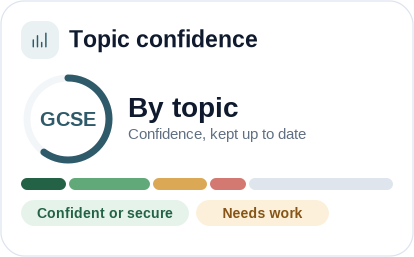
Record confidence topic by topic, note what school is covering and keep exam history in one place.
The result is a picture you can act on: what is secure, what needs work and what to choose next.
Features
See where each student stands, prepare practice that fits, and keep lessons, calendar and payment records together. Every plan includes the same features.
Why tutors use it
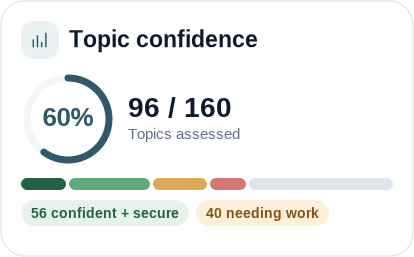
Record confidence topic by topic, note what school is covering and keep exam history in one place.
The result is a picture you can act on: what is secure, what needs work and what to choose next.
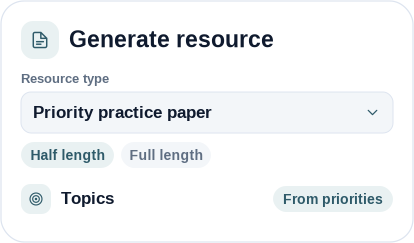
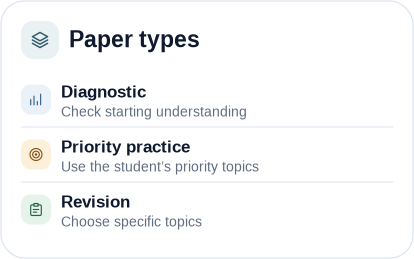
Teach from notes and worked examples, then build a diagnostic, priority or revision paper and adjust the draft before printing.
Use it alongside the free resources you already rely on; personalised practice is there for when a closer fit helps.
Students open set practice and their resources in their own workspace, and you can follow up on what they did.
Lessons are recorded while they are fresh, so the next session starts from a real record.
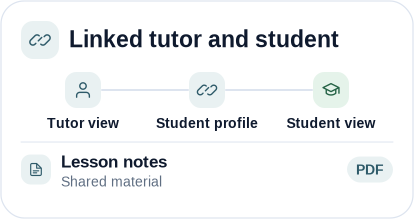
Keep lesson records and materials together, and choose which notes and tasks to share with your student. Private tutor notes stay private.
The practical side of tutoring sits next to the teaching, including group lessons when you need them.
Confidence is recorded topic by topic, so the gaps worth a lesson stand out from what is already secure.
Syllabus and confidence featuresChoose a diagnostic, priority or revision paper built around this student, alongside the free resources you already trust.
Practice paper featuresThe student returns to set practice in their own workspace, and the next lesson starts from what they did.
Between-lessons featuresKeep a record for each student, then invite them when they are ready.
Year group, exam board and tier for each student. Work from a profile before the student has an account.
Invite a student with a link or a joining code.
Connect an existing profile to a student account later, keeping its history.
One page per student bringing together confidence, priorities, lessons and recent work.
Choose what your own dashboard shows first.
Students join through their tutor. There is no parent login.
A topic-by-topic picture of where each student stands.
The full topic list for each student's board and tier.
Record confidence for each topic as you teach.
See how a topic's confidence has changed over time.
Suggested next topics, combining the student's confidence with how often topics have appeared in past exams. Not a grade prediction.
See which earlier topics a topic depends on, so gaps underneath are visible.
Notes on a specific topic for a student, such as a recurring misconception.
What you intend to cover in coming lessons, kept to yourself.
Compare confidence across your own students to spot gaps they share.
Teaching material organised by topic, plus what you already use.
Topic-tagged questions used to build practice papers.
Teaching notes, worked examples, gap-fill exercises and revision cards, where published for that topic.
Answers and worked solutions sit with the resource, with control over what students can see.
Past-paper questions with tracking of what has been attempted, where papers have been imported. Coverage varies by board.
Linked original Corbettmaths and 1st Class Maths resources, opened on the publisher's site rather than copied.
Add your own files, links and videos alongside platform resources.
See which resources a student has already used.
Flag an error or issue with a resource so it can be checked.
Generate a paper, adjust the draft, then print it.
Broad coverage, starting with the highest-priority topics not yet assessed.
Focused on 1 to 15 of the student's priority topics.
Choose the topics yourself.
Aim for a balance of topics at full or half length. The balance is a target, not a guarantee.
Swap or remove questions before finishing.
Printable question papers and answers with workings.
Name saved papers so they are easy to find again.
Record what happened while it is fresh.
Enter marks against the resources used in a lesson.
Set confidence yourself after marking, overriding any suggestion.
Record confidence for topics covered without a resource.
Lessons save as you go. Resume an open lesson, or reopen a completed one from history.
A tidy summary of a lesson to read or share, separate from the full history.
Every past lesson for a student in one list.
Notes for yourself, and notes the student can see.
Host a live whiteboard with a student.
Write on resource PDFs during the lesson.
Use a second device, such as a tablet, to write.
Choose what the student sees and can edit.
Students can work privately before sharing.
Reopen saved boards and export the visible writing, including annotated PDFs.
Students can return to their work without you present.
Students practise their topics from their own workspace.
Students review their work, reveal answers and mark it themselves.
Attempts are kept, so you can see what was done.
Set tasks with resources attached, shown in the student's workspace.
For supported papers with imported question data, a student uploads photos of a completed paper, reviews the suggested analysis, then confirms it.
Past results gathered for the student and for you.
Teach several students together while keeping individual records.
Create groups and manage who is in each.
Schedule lessons for a group.
Record who attended each group lesson.
Give each student in a group their own work, recorded against their profile.
The practical side, next to the teaching.
Recurring lessons with time zone support.
Change single lessons without breaking the series.
Mark lessons as attended or missed.
A private feed for your calendar app. Your calendar app controls how often it refreshes.
Record money received from families.
See prepaid credit and which lessons are covered.
Set lesson rates, with earlier rates kept for past lessons.
Correct entries without losing the record.
Export the payment ledger.
Progress reports you send yourself.
Prepare a report from a completed lesson and edit the wording before sharing.
Choose what each report includes.
Earlier versions are kept.
Export a report to send to the family.
Booking and payment extras in parent reports.
Parent contacts, opt-ins, email previews and delivery history.
Guidance in your workspace, not a separate course.
Updates and reminders in your workspace.
Work through practical getting-started guidance in stages, with your progress saved.
Tools that go with the guidance for setting up your tutoring.
Explore a limited example workspace before signing up.
* Beta
From £10/month, priced by active students.